ASUS TUF Gaming F16 Review: Specifications, Performance, Price in India, and Should You Buy?
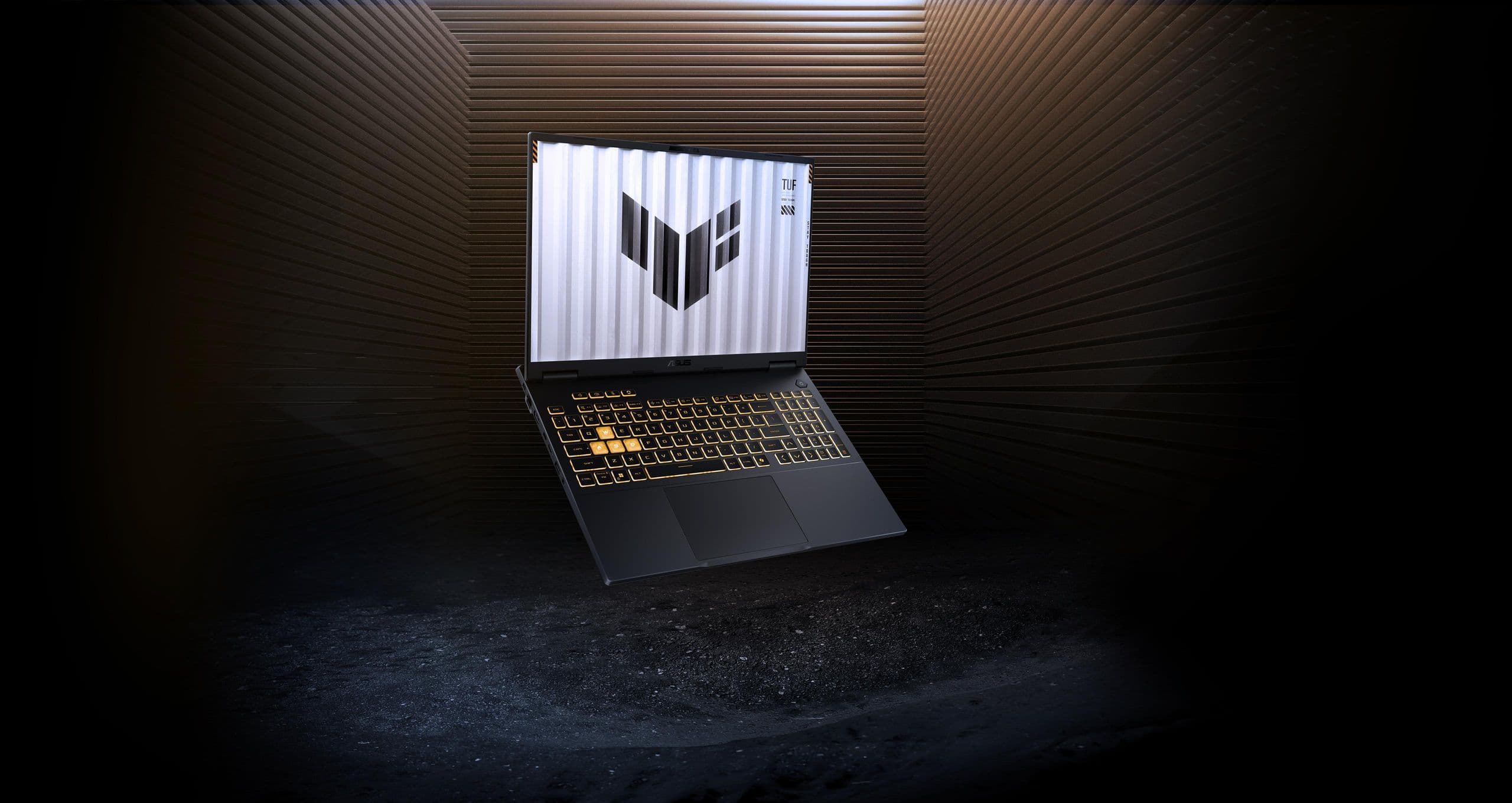
Intro: A Good Gaming Laptop? The ASUS TUF Gaming F16;
Buying a gaming laptop in India is no small task as the buyer has to juggle between performance, graphics, display quality, storage and price. The **ASUS TUF Gaming F16 ** is a gaming laptop for everyone who wants dedicated graphics for modern games, creative apps and everyday productivity.
It’s packed with an Intel Core 5 210H processor, GeForce RTX 4050 laptop graphics, 16GB DDR5 RAM and a 512GB SSD. It also features 16 inch WUXGA display with 144hz refresh rate which makes it an interesting option for gaming and multitasking.
But is this laptop worth buying in 2026? Is it powerful enough for students, gamers and content creators? In this detailed GadgetXpedia review, we explore its specifications, major features, pros, cons and buying guide to help Indian buyers make an informed purchase decision.
Specifications: ASUS TUF Gaming F16
Here’s a quick rundown of the laptop’s key specs, as provided by the manufacturer.
| Specification | Description |
|---|---|
| Model | ASUS TUF Gaming |
| Processor | Intel Core i5-210H |
| CPU cores / threads | 8 cores 12 threads |
| Graphics | NVIDIA GeForce RTX 4050 Laptop GPU | |
| Memory | 6GB GDDR6 |
| RAM | 16 GB DDR5 |
| Storage | 512GB NVMe PCIe 4.0 SSD |
| Size | 16" |
| Resolution | 1200 x 1920 pixels |
Refresh Rate | 144hz |
| Aspect ratio | 16:10 |
| Operating system | Windows 11 Home |
Keyboard | One-zone RGB backlit keyboard |
Colour | Grey metallic
Specifications are subject to change without notice. For more details, visit the [official ASUS product
1. Design & Build Quality
The ASUS TUF Gaming F16 is designed for gaming and has a Mecha Grey finish. It’s pretty subdued next to gaming laptops with flashy styling and complex lighting.
Design makes it a perfect fit for a gaming desk, college or home office. The backlit keyboard is handy for gaming or typing in low-light conditions and the larger chassis provides space for a full gaming setup.
The retailer specs say the laptop weighs some 2.2kg. That’s reasonable for a gaming laptop, but students who lug their machines between college, home and work every day might find it a bit on the heavy side.
The TUF Gaming F16 is a sensible compromise for a buyer who wants a dedicated graphics card but doesn’t want a flashy design.
2. Processor Performance: Intel Core i5 210H
One of the main points of this configuration is the Intel Core 5 210H processor. It’s 8 cores and 12 threads, with a maximum turbo speed advertized to be as high as 4.8 GHz.
The processor is designed to handle a broad range of everyday and demanding workloads, including:
- running multiple applications simultaneously.
- Working with documents, presentations and spreadsheets.
- Programming, software design.
- Edit photos, create digital content.
- Playing games with dedicated GPU.
The combo might help students with coding projects, online classes, and productivity tasks. The processor can also support content creators while editing videos or using compatible creative apps.
But in the real world, performance is affected by cooling, power settings, the software you’re using and the demands of the task. If you are a buyer who uses especially heavy professional applications, you should compare benchmark results before making your final decision.
3. NVIDIA RTX 4050 graphics. The game changer.
The main selling point of the ASUS TUF Gaming F16 is the 6GB GDDR6 memory NVIDIA GeForce RTX 4050 Laptop GPU.
Unlike laptops that use only integrated graphics , this setup comes with a dedicated GPU for gaming and graphics - heavy tasks .
Potential benefits include:
Gaming performance at 1080p: Modern PC gaming The RTX 4050 can run a lot of popular PC games at 1080p-class resolutions, but performance will vary quite a bit by game and graphics settings.
Ray tracing: Games that support ray-tracing may use it to enhance lighting and reflections, with performance varying based on workload and your selected settings.
DLSS support: Games that support it can use NVIDIA’s AI-based upscaling and frame generation technologies for an improved gaming experience.
Creative applications: Use compatible NVIDIA graphics features for video editing, 3D modelling and other GPU accelerated tasks.
However, the RTX 4050 laptop GPU is not identical to the RTX 4050 desktop GPU in every single aspect. A laptop’s performance also depends on the power limits it is configured for, its cooling system and the particular application.
GadgetXpedia recommends checking the actual game benchmarks when purchasing a gaming laptop and not just the name of the graphics card.
4. Gaming Display 144Hz, 16-inch
The laptop offers a 16-inch WUXGA display, with a resolution of 1920 × 1200 pixels and a refresh rate of 144Hz.
The 16:10 aspect ratio gives you more working space vertically than a standard 16:9 screen. This can be helpful if you are reading documents, editing timelines, browsing websites or working with multiple windows.
With a 144Hz refresh rate, you’ll see smoother motion than with the average 60Hz panel, especially in games that the laptop can run at a fast enough frame rate.
The anti-glare coating is another useful feature for everyday use.
Buyers should be aware of the colour reproduction however. The RL055WS is specifically mentioned as having an IPS level panel, and covering 45% of the NTSC colour space. This makes it less ideal than a display with a wider colour coverage for professional, colour-critical work.
**Verdict:** A useful gaming, study and general productivity choice, but professional designers will want to look at a laptop with a more colour-accurate display.
5. RAM and storage: Is 16GB enough?
The ASUS TUF Gaming F16 comes with 16GB of DDR5 RAM and a 512GB PCIe 4.0 NVMe SSD.
16GB of RAM is a sensible starting point for most users. It's good for everyday multitasking, gaming and a range of creative apps. It will be an accurate experience depending on how many programs you are running and how memory intensive they are.
With the 512GB SSD, you can boot up faster and load applications quicker than with a traditional hard drive. But if you install a couple of big PC games, keep a lot of video files or work with large project folders, storage space can become an issue.
Before you buy, check the exact configuration for memory upgrade options, available storage slots and warranty conditions. If you think you’ll need more storage, an upgrade might be worth it.
6. What Should You Expect: Gaming Experience
This laptop has a solid basis for gaming, with the Core 5 210H processor, RTX 4050 graphics and 144Hz display.
Different hardware is required for different game genres.
- **Gaming for competition:** If you’re into competitive gaming, many of the games out there are able to make good use of a high refresh monitor, depending on what in-game settings and frame rate you can achieve.
- **Open world games:** The performance will depend on the resolution, graphics quality, ray tracing and the optimisation of the game.
- **Single player games:** Players can adjust graphics settings to find a compromise between image quality and smooth gameplay.
- **Game streaming:** The dedicated GPU can assist with supported encoding workflows but quality also depends on internet speed and software settings.
Remember that 144Hz is not the same as 144 frames per second in all games. More demanding titles may need to be run at a lower graphics setting or upscaled to run smoothly.
To make the most reliable decision, it’s best to compare independent benchmarks for the games you play most often.
7. Battery Life & Cooling
A gaming laptop will pull a lot more power running demanding games than doing light office work. So consumers shouldn’t expect equal battery life for gaming and regular use.”
ASUS TUF Gaming F16 configuration mentioned with 56Wh battery Battery life depends on many factors, such as screen brightness, workload, power settings, wireless connectivity and other applications running in the background.
If you plan on gaming you will generally want to plug in the included power adapter to get the performance it was designed for.
Cooling is just as important. Prolonged gaming sessions can place some constant strain on the processor and GPU, so fan noise and temperatures can increase when under load. Use on a hard flat surface. Keep ventilation openings clear and do not block air intakes.
If you intend to game on your laptop for long stretches, look for independent thermal tests that examine sustained performance rather than short benchmark bursts.
8. Features, Everyday Use, Connectivity
Connectivity on the TUF Gaming F16 is focused on gaming peripherals, external displays and wired networking.
Ports vary with exact configuration and supplied documentation, and include USB Type-A, USB Type-C, HDMI, an Ethernet port and a headset connection. This configuration also supports Thunderbolt 4.
It has Wi-Fi 6 and Bluetooth 5.3 wireless capabilities, although the actual Bluetooth version depends on the system configuration.
These options come in handy to hook up an external monitor, gaming mouse, keyboard, headset and other accessories. Wired Ethernet can also be a plus if you’re a gamer who likes a stable network connection.
Before you buy, check the official specs to make sure it has the ports and features you specifically need, especially if you plan on connecting multiple external displays or high-speed storage devices.
9. ASUS TUF Gaming F16 price in India
The price of an ASUS TUF Gaming depends on the retailer’s stock and current promotions.
“For the research, the promotional price of approximately ₹1,39,990 was available on the ASUS India online store but the other listings had different prices. These are indicative prices only and not the guarantyd checkout prices.
Check the final price on the official ASUS store and established Indian retailers, before you buy. Also check for bank offers, exchange discounts, no-cost EMI, warranty coverage and if the laptop comes loaded with the software bundle that was advertised.
Don’t only pay attention to the percentage discount shown. Compare the selling price with similar laptops with similar processors, graphics card, RAM and display.
10. Advantages and Disadvantages
Advantages
- Dedicated 6GB VRAM NVIDIA GeForce RTX 4050 graphics.
- Intel Core 5 210H processor for gaming and multitasking.
- 16GB DDR5 RAM for everyday performance.
- 144Hz display for smoother games that support it.
- 16:10 screen gives you more vertical workspace.
- 512GB NVMe SSD for speedy loading.
- Real gaming accessory and external display connectivity.
Downsides
- 512GB SSD may not be enough for users with a lot of games.
- 45% NTSC coverage on the screen isn't so good if you need accurate colours for professional work.
- The weight of 2.2kg is not convenient for frequent transportation.
- Heavy gaming will always have worse battery life than light use cases.
- It is highly dependent on the final purchase price and other competing offers.
11. Is the ASUS TUF Gaming F16 worth buying in 2026?
If you need a dedicated-GPU laptop for gaming, college work, programming, and creative projects, check out the ASUS TUF Gaming F16 .
That makes it particularly relevant for buyers looking for an RTX 4050 GPU, 16GB of RAM and a high-refresh-rate screen. However, it’s not always the best choice for every budget.
If you do a lot of professional colour grading you might be better off getting a laptop with a more colour accurate display. If you travel a lot, you may find it more convenient to have a lighter device. If you are using a laptop mainly for browsing, online classes, office applications then a cheaper laptop might be better value.
When you compare the TUF Gaming F16 to other laptops in the same price bracket, check their graphics performance, display quality, cooling, upgradeability and warranty before you make your decision.
We are at GadgetXpedia to educate our readers about the real world difference between the gadgets and not just the specs. You can research laptops, smartphones and other tech gear before buying them by reading our gadget review articles and GadgetXpedia Comparison guides.
Frequently Asked Questions
1. ASUS TUF Gaming Processor What processor is in the ASUS TUF Gaming ?
This configuration is powered by Intel Core i5-210H processor with eight cores, twelve threads and the maximum advertized turbo frequency up to 4.8GHz.
2. Does ASUS TUF Gaming F16 have RTX 4050 GPU?
“Yeah. The FX677VU-RL055WS configuration is packed with the NVIDIA GeForce RTX 4050 Laptop GPU, which comes with 6GB of GDDR6 graphics memory.
3. Is ASUS TUF Gaming F16 good for gaming?
It may be a good choice for many modern pc games. Performance depends on the game, graphical settings, cooling and power setup. Independent benchmarks give you a sense of how your favourite titles will perform before you buy.
4. What is the refresh rate of ASUS TUF Gaming F16?
It has a 16-inch WUXGA screen with a resolution of 1920 × 1200 and a refresh rate of 144Hz.
5. What about RAM and storage?
It comes with 16GB DDR5 RAM and 512GB PCIe 4.0 NVMe SSD. Do check the upgrade options for the particular unit before buying.
6. ASUS TUF Gaming F16 Price in India
Prices are subject to change at the seller’s discretion. For the latest price, availability and offers, please visit the official ASUS India store or authorised retailers.
7. Is ASUS TUF Gaming F16 good for students?
Yes, it can be good for students who need a laptop for gaming, programming, multitasking or creative applications. However, due to its weight and gaming-oriented hardware, it may be overkill for students who only need basic study and office applications.
8. Where can I get other laptop reviews and tech updates?
GadgetXpedia is your go-to source for gadget reviews, product comparisons, smartphone news and tech updates. Our content helps Indian readers find features, compare devices and make informed buying decisions.
Conclusion
ASUS TUF Gaming F16 Intel Core 5 processor, RTX 4050 graphics, 16GB DDR5 RAM, 512GB SSD, 144Hz display. The specs make it a good choice for buyers looking for a gaming-focused laptop that can also serve as a daily productivity machine and handle some creative workloads.
The dedicated GPU, the high refresh rate screen and the versatile performance are its strengths. When buying it, the main things to consider are the display’s colour coverage, the storage capacity, the portability and the price.
It all depends on if it is worth the budget and workload to purchase it. Compare competing models carefully, check the seller’s specs and choose the configuration that best fits your needs.
**Follow GadgetXpedia on** For GadgetXpedia Reviews of informative gadgets, GadgetXpedia Comparison articles and GadgetXpedia Latest Updates to help you make smarter technology buying decisions. v